First day at hack.lu. Three of us kicked the conference off with the ARM IoT Firmware Emulation workshop by Saumil. The goal of this workshop was not so much to write exploits or to pwn boxes but to learn how to build a beneficial research environment by emulating the hardware of a Linux based IoT device to run its firmware in order to run analysis and tests.
As Kai and I will be holding a TROOPERS workshop on automation with ansible, we needed a setup for the attendees to use ansible against virtual machines we set up with the necessary environment. The idea was, that every attendee has their own VMs to run ansible against, ideally including one to run ansible from, as we want to avoid setup or version incompatibilities if they set up their own ansible environment on their laptop. Also they should only be able to talk to their own machines, thus avoiding conflicts because of accidental usage of wrong IPs or host names but also simplify the setup for the users.
this week I gave a presentation together with Florian Barth from Stocard on Docker, DevOps/Microservices, and Security — a topic and collaboration that I will definitely cover in even more detail in the future!
In my last blog post, I gave an overview about recent vulnerabilities discovered in the x86 emulation layer of Xen. While both of the discussed vulnerabilities only allow for guest privilege escalation, the complexity of the involved code seemed to indicate that even more interesting bugs could be discovered. So I spent some time searching for memory corruption issues and discovered a very interesting bug that resulted in XSA 123 . This post gives an overview about the root cause of the bug and a short description of exploitation challenges. A follow-up post will describe possible exploitation strategies in more detail.
Developing a secure and feature rich hypervisor is no easy task. Recently, the open source Xen hypervisor was affected by two interesting vulnerabilities involving its x86 emulation code: XSA 110 and XSA 105. Both bugs show that the attack surface of hypervisors is often larger than expected. XSA 105 was originally reported by Andrei Lutas from BitDefender. The patch adds missing privilege checks to the emulation routines of several critical system instructions including LGDT and LIDT. The vulnerable code can be reached from unprivileged user code running inside hardware virtual machine (HVM) guests and can be used to escalate guest privileges. XSA 110 was reported by Jan Beulich from SUSE and concerns insufficient checks when emulating long jumps, calls or returns.
Recently we started playing around with Cisco’s virtual router, the CSR 1000V, while doing some protocol analysis. We found Cisco offering an BIN file for download (alternatively there is an ISO file which contains a GRUB boot loader and the BIN file, or an OVA file which contains a virtual machine description and the ISO file) and file(1) identifies it as DOS executable:
$ file csr1000v-universalk9.03.12.00.S.154-2.S-std.SPA.bin
csr1000v-universalk9.03.12.00.S.154-2.S-std.SPA.bin: DOS executable (COM)
We didn’t manage to get the file running, neither in a (Free-)DOS environment, nor in a wine virtual DOS environment, except using the boot loader from the ISO file. So we became curious as for the structure and ingredients of the file.
In the course of our virtualization research, we came across a certain technical issue we couldn’t find an easy solution on knowledge bases and the like. However, as we found the question several times on the web, the following post gives just a short hint on a technical detail.
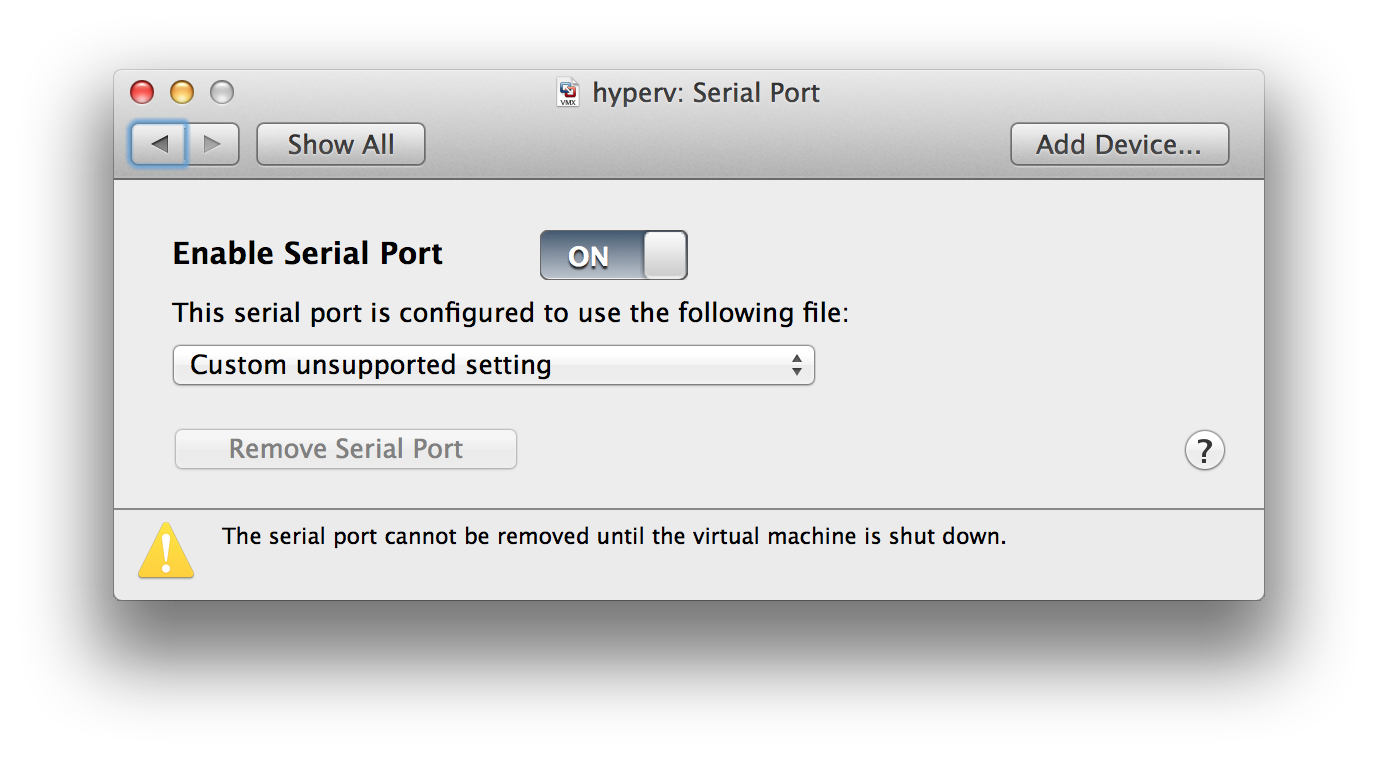
If you want to connect two virtual machines in VMware Fusion using a serial port (e.g. for debugging purposes), Fusion doesn’t provide you an GUI option to configure that. However, if you just add the following config to the debugger system’s VMX file:
During a recent research project we performed an in-depth security assessment of Microsoft’s virtualization technologies, including Hyper-V and Azure. While we already had experience in discovering security vulnerabilities in other virtual environments (e.g. here and here), this was our first research project on the Microsoft virtualization stack and we took care to use a structured evaluation strategy to cover all potential attack vectors.
Part of our research concentrated on the Hyper-V hypervisor itself and we discovered a critical vulnerability which can be exploited by an unprivileged virtual machine to crash the hypervisor and potentially compromise other virtual machines on the same physical host. This bug was recently patched, see MS13-092 and our corresponding post. Continue reading “Exploiting Hyper-V: How We Discovered MS13-092”
First of all, I hope you all had a good start to 2014. Having some time off “between the years” (which is a German saying for the time between Christmas and NYE), I caught up on several virtualization security topics.
While virtualization is widely accepted as a sufficiently secure technology in many areas of IT operations (also for sensitive applications or exposed systems, like DMZs) by 2014, there are several recent vulnerabilities and incidents that are worth mentioning.
First of all, a rather old vulnerability (codename “VMDK Has Left the Building“) was eventually patched by VMware, the day before Christmas’ eve (honi soit qui mal y pense… 😉 ). While the initially described file inclusion vulnerability cannot be exploited anymore, first tests in our lab show that attempts to exploit the vulnerability lead to a complete freeze of the shared ESXi host. We still need to dig deeper into the patch and will keep you posted.
On November’s patch Tuesday, an important vulnerability in Hyper-V was patched by Microsoft. The bulletin does not provide a lot of details as for the vulnerability, but the relevant sentence is this one: “An attacker who successfully exploited this vulnerability could execute arbitrary code as System in another virtual machine (VM) on the shared Hyper-V host.”. This does not allow code execution in the hypervisor. However, Hyper-V’s architecture comprises the so-called root partition, which is a privileged virtual machine used for all kinds of management functionality. This means that code execution in this particular virtual machine most probably will still give an attacker complete control over the hypervisor. Even without this root partition, the vulnerability would be one of the worst-case vulnerabilities in the age of Cloud computing, provided that MS Azure employs Hyper-V (which can be considered a fair assumption. Still we have no distinct knowledge here). Again, we’ll have a closer look at this one in the near future.
At the end of December, OpenSSL suffered from a virtualization-related incident. The shared hypervisor was compromised using a weak password of the hosting provider. While password-related attacks are not specific to virtualized environments, it emphasizes the need for secure management practices for virtualization components. This sounds like a very basic recommendation, but many security assessments we conducted in this space resulted in the need to include “attacks against management interfaces” in the top ERNW virtualization risks, which we cover in our virtualization and cloud security workshops. Also we mentioned this in some presentations and research results.
As the described events show, virtualization security will remain an important topic in 2014 (even though marketing material suggest to simply adopt virtualization – I won’t give any links here, you’ve probably already seen plenty 😉 ). We will cover several aspects during this year’s Troopers edition. While our workshop on “Exploiting Hypervisors” is already online (for the detailed description, see here), one talk is missing: Due to some rather strict NDAs, we can’t provide any details so far (but if you’ve read the MS13-092 credits carefully, it shouldn’t be too hard to guess 😉 ).
I hope you’re looking forward to 2014 as much as I do, stay tuned,
In the course of a current virtualization research project, I was reviewing a lot of documentation on hypervisor security. While “hypervisor security” is a very wide field, hypervisor breakouts are usually one of the most (intensely) discussed topics. I don’t want to go down the road of rating the risk of hypervisor breakouts and giving appropriate recommendations (even though we do this on a regular base which, surprisingly often, leads to almost religious debates. I know I say this way too often:I’ll cover this topic in a future post ;)), but share a few observations of analyzing well-known examples of vulnerabilities that led to guest-to-host-escape scenarios. The following table provides an overview of the vulnerabilities in question: Continue reading “Analysis of Hypervisor Breakouts”